

Setting Up a Focused Remote Work Office

Creating a special place at home just for work makes it easier to concentrate and get more done.
More people have started working from home, so having a quiet, distraction-free spot really changes the game.
Keeping that workspace neat helps separate work time from fun time and actually makes performance better.
It’s like building a cozy little nest where the brain can do its best thinking.
Making the space fit your own style lifts your spirits and brings your goals closer.
Some quick tricks and secrets can turn any small corner into a powerhouse of productivity.
Keep reading—you’ll want to see what’s coming next.
Whether you’re transitioning to a full-time remote role or simply seeking to improve your current setup, creating a space tailored to your needs is a vital step. It’s not just about having a desk and a chair, but about thoughtfully organizing your environment to support concentration, organization, and comfort. The process involves evaluating your available space, choosing the right furniture, setting up technology properly, and establishing routines that reinforce your workspace as a dedicated work zone.
Choosing the Right Location for Your Remote Work Office
Designate a Specific Area in Your Home
Finding the perfect spot for your remote office is the first step toward a successful setup. Ideally, choose a quiet area with minimal foot traffic to reduce interruptions. If possible, allocate a separate room or a corner that can be dedicated solely to work activities. Using a distinct physical space helps signal to others in your household that you’re in work mode, which can improve focus and promote a healthy work-life boundary.
Evaluate Natural Light and Ventilation
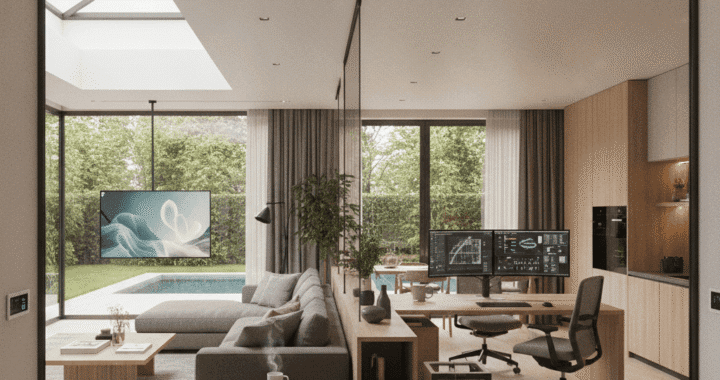
Natural light can significantly influence your mood and productivity. Position your desk near windows if available to benefit from daylight, which also helps regulate your internal clock. Proper ventilation ensures fresh air, preventing that sluggish feeling common in poorly ventilated spaces. Combining natural light with good airflow creates a more inviting environment that encourages longer periods of concentration.
Essential Furniture and Equipment for a Focused Remote Office
Invest in Ergonomic Furniture
Comfort is key to maintaining productivity during long work sessions. Select an ergonomic chair that supports your lower back and keeps your posture aligned. Pair it with a desk that fits your working style—whether a standing desk or a traditional setup. Ergonomic furniture reduces physical strain and decreases fatigue, enabling you to stay focused for extended periods without discomfort.
Must-Have Tech and Accessories
Reliable internet is the backbone of any remote setup—consider upgrading your connection if needed. Additionally, use a high-quality monitor, keyboard, and mouse to reduce eye and hand strain. Don’t forget a good pair of headphones or speakers for clear audio during meetings. Keep essential supplies like pens, notepads, and chargers within arm’s reach to streamline your workflow.
Optimizing Your Remote Office Layout for Productivity
Declutter and Organize Your Space
A tidy workspace minimizes distractions and makes it easier to find necessary items quickly. Use storage solutions such as shelves, filing cabinets, or desktop organizers to keep your desk clear. Periodic decluttering helps maintain an environment that promotes focus and mental clarity, preventing mess from taking over your productivity.
Arrange Your Equipment Thoughtfully
Position your monitor at eye level to avoid neck strain, and ensure your keyboard and mouse are at comfortable heights. Keep frequently-used items within arm’s reach, while less-used tools can be stored away. Proper layout not only boosts comfort but also encourages better ergonomics, reducing discomfort and potential injuries.
Establishing Effective Routines and Boundaries
Set Regular Working Hours
Consistent start and end times help build a routine that distinguishes work time from personal time. Communicate these hours to colleagues and family members to set expectations and minimize disruptions. Having clear boundaries prevents overwork and helps you unwind after the workday.
Implement Breaks and Movement
Schedule short breaks to stretch, walk around, or simply step away from your desk. Incorporating movement prevents stiffness and maintains energy levels. Techniques like the Pomodoro Technique, which involves working concentrated intervals followed by short breaks, can enhance focus while giving your mind periodic relief.
Utilizing Technology to Support Remote Work
Communication Tools and Software
Effective remote work relies heavily on communication platforms such as Zoom, Slack, or Microsoft Teams. These tools facilitate seamless interaction and collaboration with colleagues. Invest time in learning their features to leverage them fully and keep communication efficient.
Task Management and Organization Apps
Staying organized requires a reliable system for tracking tasks and deadlines. Use apps like Trello, Asana, or Todoist to prioritize your work and visualize your progress. Regularly updating your task list helps prevent overwhelm and keeps you focused on immediate priorities.
Monitoring and Adjusting Your Home Office Setup
Creating a remote work space is an ongoing process. Pay attention to what works and what doesn’t—adjust lighting, furniture placement, or routines as needed. Gathering feedback on your comfort and productivity levels ensures your environment remains a helpful tool rather than a hindrance. Remember, a well-maintained setup promotes sustained focus and reduces the likelihood of burnout.
Conclusion
Setting up a focused remote work office is about more than just placing a desk in a corner—it requires intentional planning and thoughtful organization. By selecting a dedicated space, choosing ergonomic furniture, establishing routines, and leveraging technology, you create an environment conducive to productivity. Every element, from lighting to layout, contributes to your ability to focus and perform at your best. Take the time to evaluate and refine your workspace regularly—small improvements can have a big impact on your work quality and overall satisfaction. If you’re unsure where to start, exploring resources and expert tips on creating a productive remote home office can provide valuable insights. Investing in your workspace today helps pave the way for a more efficient, enjoyable remote work experience tomorrow. Make your environment a foundation for success and watch your productivity thrive.
 Design a Home Optimized for Both Living and Operating
  Family Law Explained
  Benefits of Pest Control Services
  Free Psychic Readings
  Christmas Spending
  Gold Jewelry Fashions